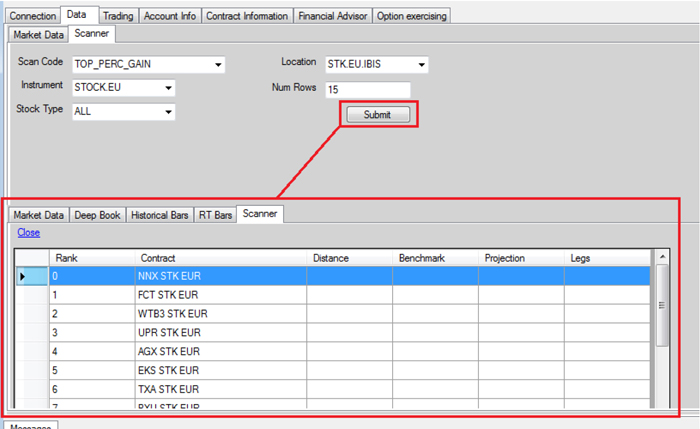
The last feature in the Market Data tab of the IBSampleApp that this guide will cover is the market scanner. This is the API equivalent of the TWS functionality with the same name. A market scanner lets you receive the topmost instruments according to criteria that you specify. The API method that sends your request is reqScannerSubscription.
You can request the complete XML document containing all valid scanner criteria using the reqScannerParameters method.
The market scanner in IBSampleApp works like the other features in IBSampleApp in that you fill in the fields and then click a button. In this case, the market scanner is located on the Scanner tab under the Data tab, and the fields you fill out represent the scanner criteria. Click Submit to send the request. The results are displayed as shown below.